Assign or unassign devices to Android Zero-Touch profile
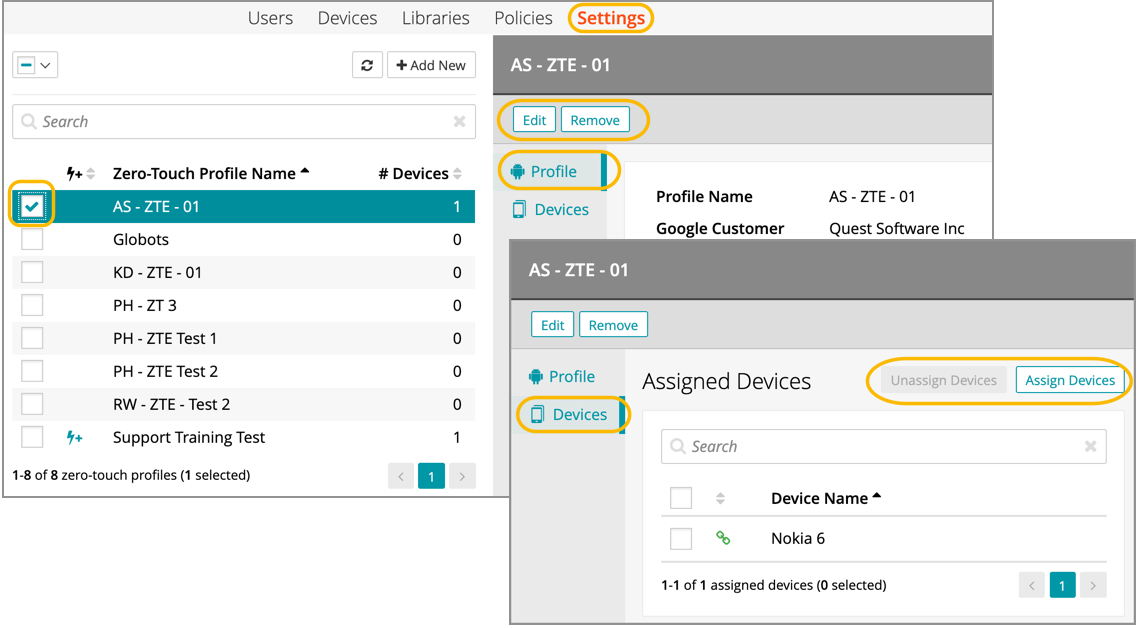
- Go to Settings > Android Settings > Zero-Touch Profiles.
- Select a profile name from the list.
- In the right panel, select Devices.
- In this view, an admin can either assign or unassign a device.
- To unassign one or more devices, click Unassign Devices, select the devices, and then click Unassign.
- To assign one or more devices, click Assign Devices, select the devices, and then click Assign.